Agent Host Protocol, open source
Your agents run on your host. Drive them from anywhere.
ahpd runs coding agents on a machine you own. Drive them from VS Code, a browser, a terminal or your phone. Close one client, open another, and the session is still there.
Agent host
ahpdsessions · state · plugins
Sessions live on the host, not on the client that started them.
Agent Host Protocol
Any client. Any agent. One protocol.
Run agents on a host. Connect from anywhere. Stay in control.
Sessions
Persistent on the host. Reconnect anytime, from multiple clients.
Automations
Schedule or trigger agent runs. Track every execution.
Agents
Multiple agent backends, models, and configurations. One host.
Control
Approve, steer, queue, or cancel. Even mid-turn.
Debugging
Access terminals, files, diffs, logs, and OpenTelemetry traces.
The host
ahpd runs your agents.
One server, SDK, and plugins. Run anywhere: workstation, server, VM, or container. Agents keep working even when clients disconnect.
- AHP 1.0.0
- Protocol
- 31 / 32
- Commands
- 95 / 96
- State actions
- Node · Bun · Deno
- Runtimes
Plugins
Extend agents, tools, transports, URI schemes, and connectors with
--plugin.Any agent, any model
ACP agents (Codex, Copilot, Gemini), Claude Code, Pi. Configure OpenAI-compatible APIs and models with your preferred harness.
Automations
Scheduled runs, executed on the host. No client required.
Isolated computers
Run sessions in disposable Docker containers with
@ahpd/computer.Git commit, PR and worktrees
One worktree per session. Multiple agents, multiple repositories.
Web UI
Add a browser client and admin console with
@ahpd/web.Remote access
Local by default. Token-protected remote connections, with optional Dev Tunnels.
The phone app
AgentHost Client is an app for your phone.
Install it on iOS or Android, add your host’s address and token, and your sessions come with you. It is a client: it connects to the host you run and to nothing else.
- iOS
- Android
- Free in early access
- Follow sessions live, and step in when an agent needs a decision
- Check the files that changed and their diffs
- Open a terminal on the host
- Create, pause and follow automations
- No account. The token stays in the device keystore
Coming soon to the App Store and Google Play.
Visit agenthostclient.com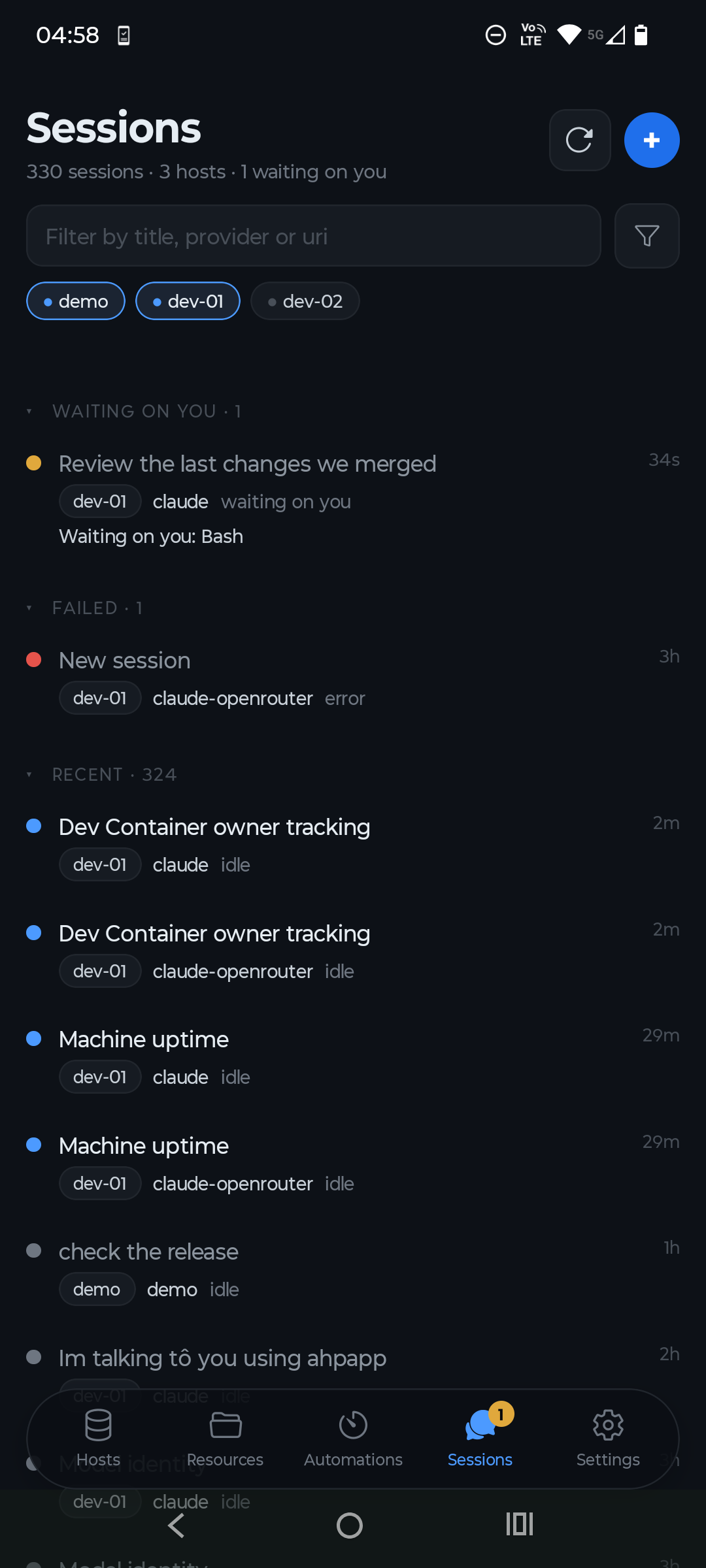
The terminal client
ahpc drives them from a terminal.
A full-screen chat, plain commands for scripts, or a tool server that lets an agent elsewhere drive the sessions on your host.
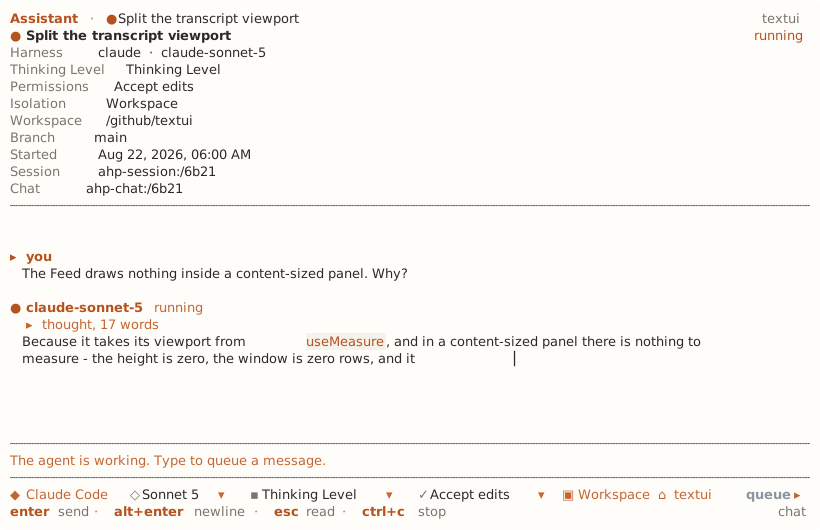
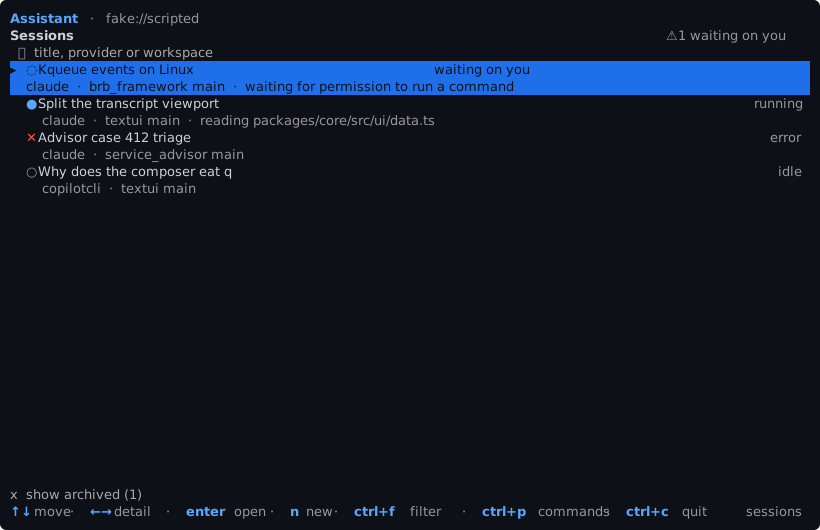
Sessions and turns. Create, configure and archive sessions, send prompts, stream replies, queue follow-ups.
Answer the agent. Approve or deny tool calls and reply to questions mid-turn.
Scriptable. Every command takes --json, and the tool server speaks MCP.
Install it, then point it at a host
$ ahpc --host ws://127.0.0.1:9187Get started
Run ahpd in four steps.
You need Node 22 or newer, or Bun, or Deno. ahpd bundles no agent: you pick the backends when you configure it.
- 1
Install the daemon
Or run it without installing, with
npx @ahpd/server.$ npm i -g @ahpd/server - 2
Configure it
Asks for the agent backends, the address, the port, the token and the folders, then writes
~/.config/ahpd/config.json. Run it again to change an answer.$ ahpd configure - 3
Start it
In the foreground, or detached with
ahpd startso it keeps running after the terminal closes. Add a backend later withahpd plugin install.$ ahpd start --path /work/project - 4
Connect a client
The token is in
~/.config/ahpd/connection-token. Use ahpc, the app, or VS Code throughchat.remoteAgentHosts.$ ahpc --host ws://127.0.0.1:9187
Beyond your own network: ahpd listens on loopback and refuses any other address without a token. Even with one, put the host on a mesh VPN or a TLS tunnel, never on a bare forwarded port: whatever is behind it can read and write your files as your user.